Everything you've copied.
One keystroke away.
Your clipboard holds one thing. ClipStack keeps the rest — every snippet, link and screenshot you copy — and puts any of it back into the app you're working in.
14 days, every feature, no card needed.
The one thing it does
Press ⌥⌘V. Pick.
It's already back in your app.
No window to find, no app to switch to. The panel opens where your pointer already is, and pastes straight into whatever you were typing in.
You need something you copied earlier
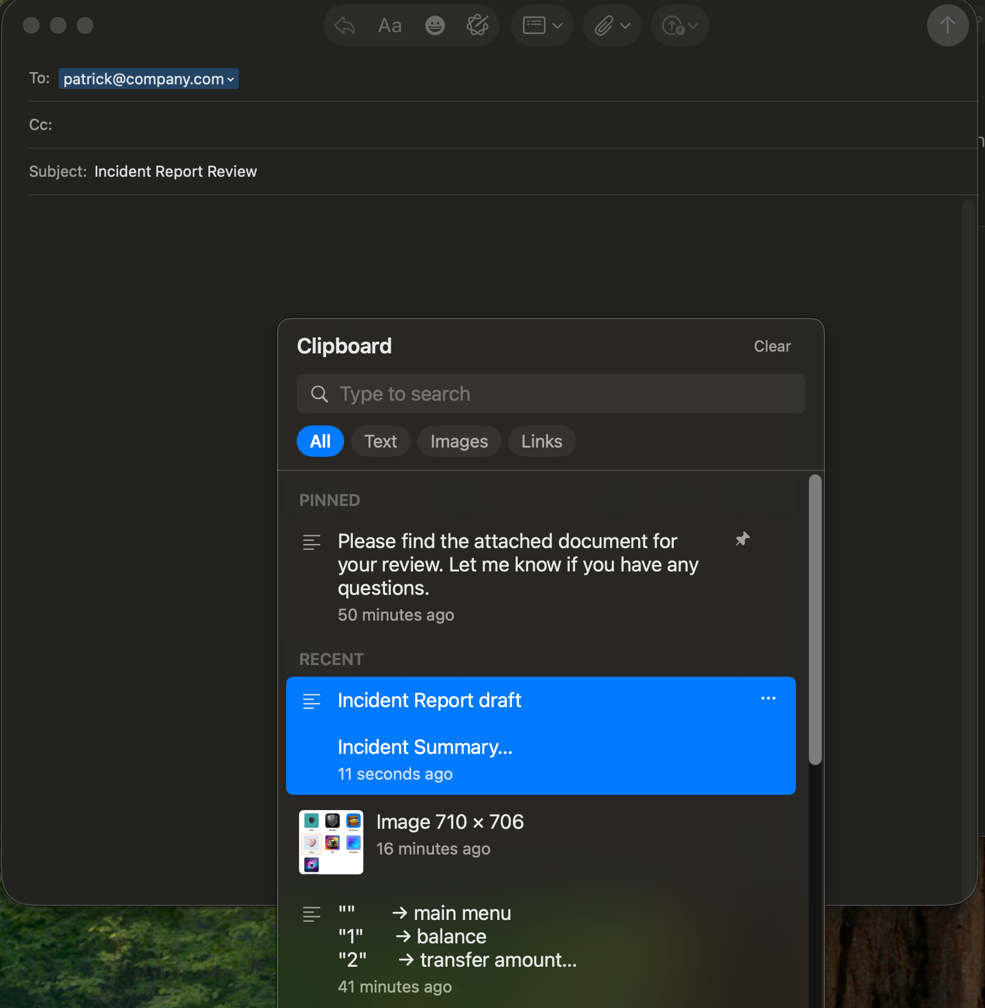
You're halfway through a reply and the address is two minutes gone. Press ⌥⌘V without leaving the field.
▋
The panel opens at your pointer
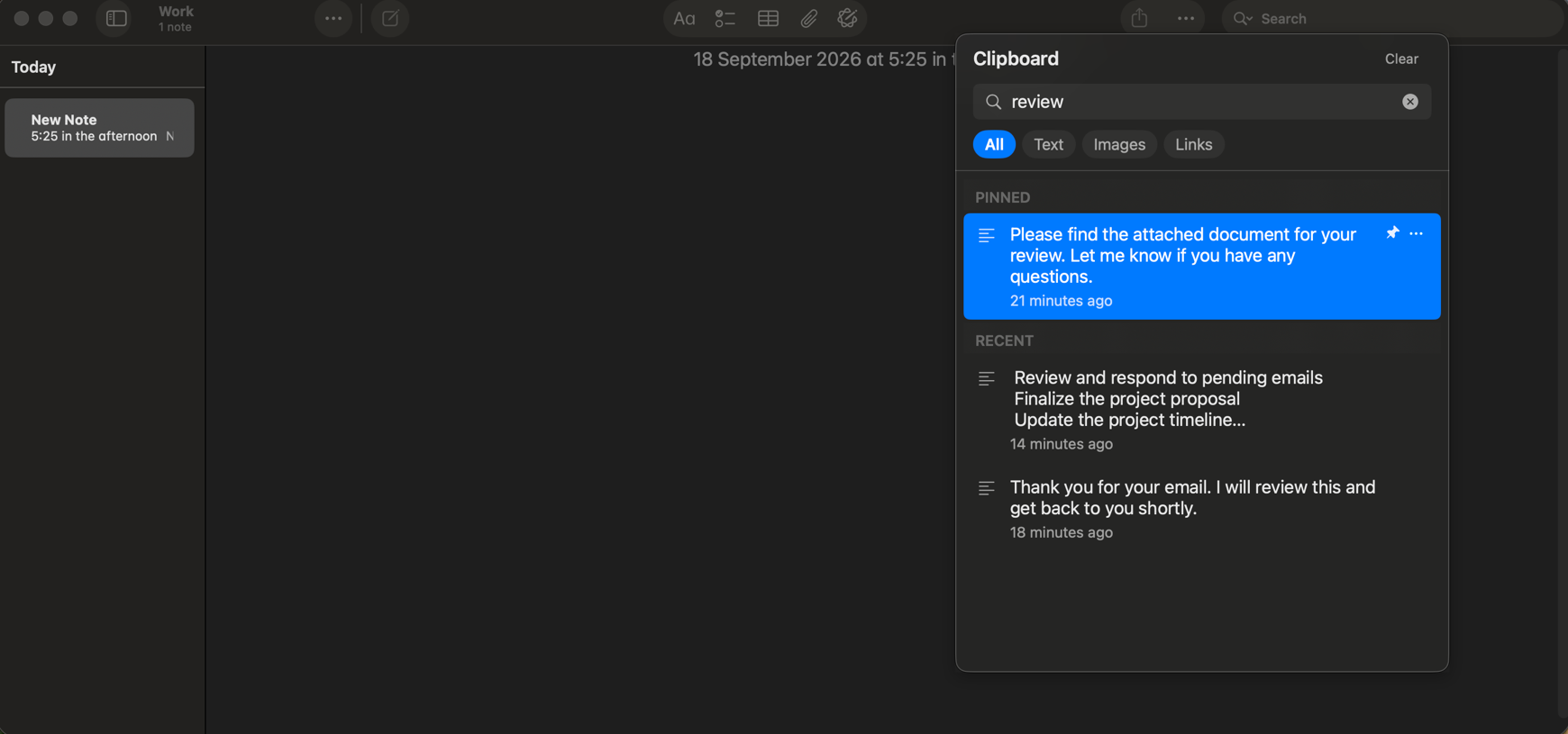
Everything you've copied, newest first, pinned items on top. Arrow keys, or start typing to filter.
▋
Press return. It's in your app
The panel disappears and the text is in the field you were typing in. The app you were using never lost focus.
1200 Harrison Street, Suite 402, San Francisco CA 94103
Small app. Fewer interruptions.
Nothing to press first
Every copy is captured automatically, text and images alike. You only ever press the shortcut when you need something back.
Pastes into your app
Not merely onto the clipboard. Pick an item and it lands in the document you were already typing in.
Pin what matters
Pinned items sit at the top and are never pushed out by newer copies, however much you paste.
Type to filter
Start typing and the list narrows as you go. Tabs for All, Text, Images and Links when you'd rather browse.
⌘1 – ⌘9
The first nine items have a number. Press it and that item pastes immediately, no arrow keys needed.
Starts at login
Turn it on once and ClipStack is in the menu bar from the moment you log in. No Dock icon, no windows.
Skips your passwords
Anything a password manager marks confidential is ignored outright — it never enters the history at all.
About 17 MB
No measurable CPU while idle. A universal binary, native on Apple Silicon and Intel.
Privacy
A clipboard manager sees everything.
This one tells no one.
Your history is a plain file on your own disk. There is no account to make and no server to sync it to.
It stays on your Mac
History lives in a local JSON file in your own Library folder. It is never uploaded, synced or backed up to us — there is no server to send it to.
No account, no telemetry
You never make an account or sign in. ClipStack has no analytics, no tracking and no crash reporting, and nothing you copy is ever transmitted anywhere.
Passwords are dropped
When a password manager marks a copy confidential, macOS passes that flag along. ClipStack honours it and refuses the item outright.
ClipStack makes two kinds of network request, and neither one carries your clipboard. It checks once a day whether a newer version exists, and it verifies your licence key when you activate and about once a month after that. The licence check goes to Lemon Squeezy, who handle payment; the update check goes to us. Everything else — capturing, searching, pasting — happens entirely offline.
The app requests one macOS permission, Accessibility, which is what lets it paste into the app you were using. That is the whole list.
Hands stay on the keys.
Open the panel
Anywhere, in any app, at your pointer.
Move through history
Newest at the top, pinned items above that.
Paste the selection
Straight back into the app you came from.
Paste the nth item
Skip the arrows when you can see what you want.
Delete an item
Removes it from the history immediately.
Dismiss
The panel disappears and focus returns untouched.
One app. One price. Yours.
A one-time purchase, not a subscription. Buy it once and it keeps working.
USD, tax calculated at checkout. No renewal, ever.
- The full app, with unlimited clipboard history
- Free updates, for as long as you use it
- A license for every Mac you personally own
- 14-day free trial before you pay anything
- 30-day money-back guarantee
Or download the 14-day trial ›
30-day money-back guarantee · Free updates · Secure checkout by Lemon Squeezy
Installing takes about twenty seconds.
Download
A single 2.6 MB file. Universal, so it runs natively on any Mac.
Drag to Applications
The usual place. No installer, no admin password.
Open it
ClipStack appears in the menu bar and starts capturing.
Version 1.0.1 · Universal · macOS 14 or later
This early build isn't notarized yet, so the first time you open it macOS will ask you to confirm: open System Settings → Privacy & Security and click Open Anyway. That step disappears once the signed release lands.
Questions
Is this a subscription?
No. ClipStack is a one-time purchase of $12. There is no renewal, no yearly fee and no upgrade pricing — you buy it once and it keeps working.
What happens after the 14-day trial?
The trial is the full app with every feature, and it needs no card. When it ends, ClipStack stops capturing new items until you enter a license key. Your existing history stays where it is.
Which Macs does it work on?
Any Mac running macOS 14 Sonoma or later. ClipStack ships as a universal binary, so it runs natively on both Apple Silicon and Intel machines.
Does my clipboard data go anywhere?
No. Your history is a local file on your disk, and nothing you copy is ever transmitted. ClipStack has no account system, no sync and no telemetry. It makes two kinds of network request — a once-a-day check for a new version, and a licence check when you activate and roughly monthly after that — and neither carries your clipboard.
How do I get updates?
Updates are free for as long as you use the app, and ClipStack checks for them itself once a day. Your license covers every future version.
Can I get a refund?
Yes. Write to [email protected] within 30 days of buying and you get your money back, no questions and no forms.
Still deciding? Write to [email protected].